READ IT feature added
X
0
Hope you find it helpful !
JAHAJEE.COM RELATED

READ IT feature added
While creating our stock market course we have used so many internal links in each blog / comments that we got a feedback from SHREYA KASHYAP to create a feature that highlights the links / pages already read.
Since this feature is user based, it is resource incentive. It thus requires activation by the user.
Following are its details and relevant procedure :
- How to activate READ-IT in your profile ?
READ-IT feature activation is placed in your profile setting under preferences subsection.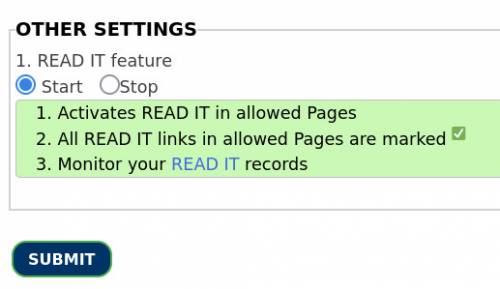
- How to activate READ-IT for pages ?
Activating Read-It feature does not mean that all Blog pages will start to mark Read-It links, the author of the blog post should additionally allow this feature on his pages.
While creating a Blog, Blog Settings now have this additional settings, which needs to be selected manually to activate this feature on that page.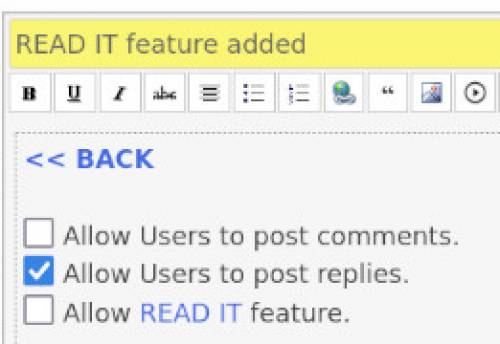
- Where are your READ-IT records ?
Each Blog may have one or many Read-It selection box for readers to mark that you read-it ! This selection, highlights later that particular link on other pages, by marking it with a tick.
Trust this helps reader to skip re-reading those links !
A record of read links is at Read-It records page.
Hope you find it helpful !
JAHAJEE.COM RELATED
 JAHAJEE.COM RELATED


